Before commenting read Forum rules
Don't comment the topic if you have a new question.
You can create a new topic selecting correct category from Gurux Forum and then create a new topic selecting "New Topic" from the top left.

Before commenting read Forum rules
Don't comment the topic if you have a new question.
You can create a new topic selecting correct category from Gurux Forum and then create a new topic selecting "New Topic" from the top left.
Hi all,
I'm new here and i'm currently trying to read-out a E450s4 from Landis+Gyr.
I have a Sample Meter which I can read out with the L+G dMap120 Software.
So I know the Management Access Password.
And I have a proper optical probe.
But when I'm trying to read out the meter I receive the message:
"Failed to receive reply from the device in given time."
can someone help me?
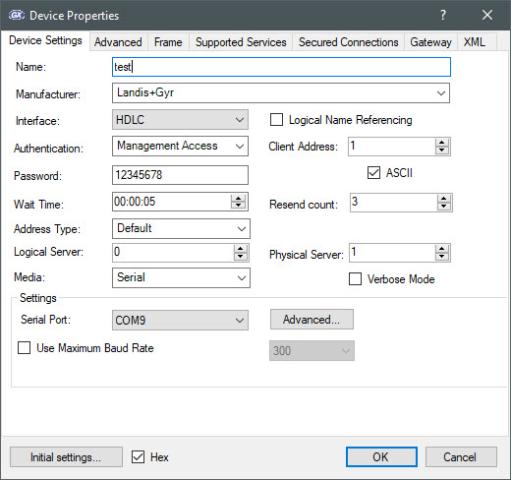
Failure
Failure
Hi,
Hi,
Check your serial port settings. The default settings are 9600 8None1. Compare them to Map120 serial port settings. If you are using an optical probe change HDLC to HdlcWithModeE.
BR,
Mikko