Before commenting read Forum rules
Don't comment the topic if you have a new question.
You can create a new topic selecting correct category from Gurux Forum and then create a new topic selecting "New Topic" from the top left.

Before commenting read Forum rules
Don't comment the topic if you have a new question.
You can create a new topic selecting correct category from Gurux Forum and then create a new topic selecting "New Topic" from the top left.
We're trying to connect on Landys n Gyr E650 using Gurux but unfortunately a message popped up stated "failed to recieve reply from the device in given time" we're also using serial USB 485 converter. Can you help us to provide step by step procedure on how to communicate it in Landys n Gyr E650 meter. Thankyou!
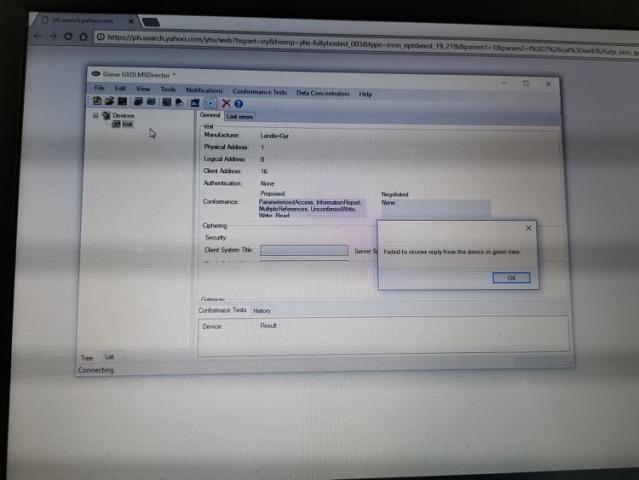
Hi,
Hi,
First change Start Protocol from IEC to DLMS. Check your cables if the connection still fails. Check also your module type that it's using RS-485 and not RS-232.
BR,
Mikko
Hi Sir,
Hi Sir,
Should we need to reconfigure first the Landy's meter communication settings to enable the dlms protocol?
Attached picture is our Gurux parameter set up
This is the converter we used
This is the converter we used (ATC 820)
Hi,
Hi,
Check your serial port settings from the manual, but I believe that they are correct.
Check that your module in the meter is for RS-485.
BR,
Mikko
Hi Sir,
Hi Sir,
Yes, E650 is RS485.
Should we need to configure also the E650 meter communication settings ?
Hi,
Hi,
Check that serial port setting are the same if you can make the connection to the meter.
BR,
Mikko
Hi Sir,
Hi Sir,
Is it the "COM8, COM3 choices" you are referring to or the baud rate ? If not, Can I ask where can I find the port settings?
Hi,
Hi,
If you can connect to your meter with other app check your serial port settings.
If you can't, you need just try different baud rate options until you made it.
You need also to check your cables. That is the most common problem.
Try to send "/?!\r\n" without " to your meter. If it replies you know that the baud rate is correct.
BR,
Mikko
BR,
Mikko