Before commenting read Forum rules
Don't comment the topic if you have a new question.
You can create a new topic selecting correct category from Gurux Forum and then create a new topic selecting "New Topic" from the top left.

Before commenting read Forum rules
Don't comment the topic if you have a new question.
You can create a new topic selecting correct category from Gurux Forum and then create a new topic selecting "New Topic" from the top left.
Greetings. I am trying to read the Profiles of Itron and Landys meters using the Python library. Reading on the forum I have been able to orient myself a bit to read a single Profile for now, but in one of my attempts using the following code;
pg = GXDLMSProfileGeneric ("1.1.98.128.1.255")
print (client.readRowsByEntry (pg, 1, 1))
the result obtained is a bytearray,
[bytearray (b '~ \ xa0- \ x02 # \ x03 \ x98 (\ x8c \ xe6 \ xe6 \ x00 \ xc0 \ x01 \ xc1 \ x00 \ x07 \ x01 \ x01b \ x80 \ x01 \ xff \ x02 \ x01 \ x02 \ x02 \ x04 \ x06 \ x00 \ x00 \ x00 \ x01 \ x06 \ x00 \ x00 \ x00 \ x01 \ x12 \ x00 \ x01 \ x12 \ x00 \ x00 \ x07 \ r ~ ')]
I don't know how to interpret properly,
and trying in the following way:
cells = []
loadProfile = GXDLMSProfileGeneric ("1.1.98.128.1.255")
cells = client.readRowsByEntry (pg, 1, 1)
if trace> TraceLevel.WARNING:
for rows in cells:
for cell in rows:
if isinstance (cell, bytearray):
writeTrace (GXByteBuffer (cell) + "|", TraceLevel.INFO)
else:
writeTrace (str (cell) + "|", TraceLevel.INFO)
writeTrace ("", TraceLevel.INFO)
The result is as follows:
126 | 160 | 45 | 2 | 35 | 3 | 186 | 56 | 142 | 230 | 230 | 0 | 192 | 1 | 193 | 0 | 7 | 1 | 1 | 98 | 128 | 1 | 255 | 2 | 1 | 2 | 2 | 4 | 6 | 0 | 0 | 0 | 1 | 6 | 0 | 0 | 0 | 1 | 18 | 0 | 1 | 18 | 0 | 0 | 7 | 13 | 126 |
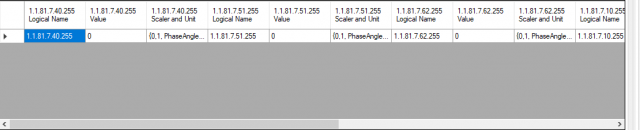
I would like to know, if someone can guide me to try to understand how I should interpret these results, or how to get to obtain a reading that is understandable like the attached image.
I appreciate the support that can give me.
Hi,
Hi,
You need to read capture objects first (Attribute index #2). If you try to read Itron SL 7000 or ACE 6000 then you need to do little more work. They are older meter and they are supporting DLMS little bit differently than the new meters. You can get the values as normal, but data structure is different.
Please, don't paste bytearray because it don't tell anything. If you want to show something add data as a hex string.
In the first column is Logical Name of the object that is 6-byte long byte array. The rest of the values are normal.
BR,
Mikko