Before commenting read Forum rules
Don't comment the topic if you have a new question.
You can create a new topic selecting correct category from Gurux Forum and then create a new topic selecting "New Topic" from the top left.

Before commenting read Forum rules
Don't comment the topic if you have a new question.
You can create a new topic selecting correct category from Gurux Forum and then create a new topic selecting "New Topic" from the top left.
Guide us with hard code method or way to skip the authentication .
We are using the settings shown in image for dlmsdirector .
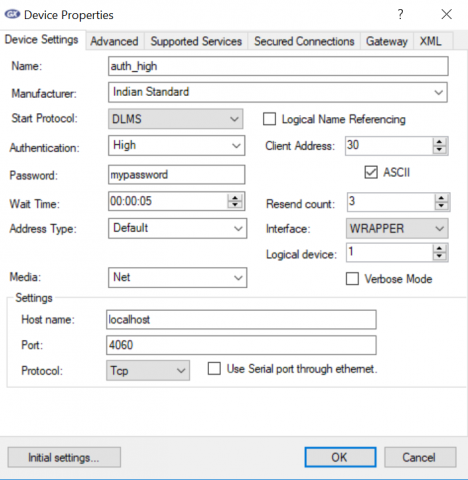
Hi,
Hi,
You can't skip the authentication. The password is saved, so you don't need to hard code it.
Whats the password for indian
Whats the password for indian standard high authentication set for
the server ??
Hi,
Hi,
It depends on the manufacturer. I don't know it. You must ask it from the vendor.
BR,
Mikko
We are using the Gurux server
We are using the Gurux server example 2. We will have only one server and we will have have multiple clients(Director) reading the values from the server. We wanted to have an automation suite to test the client and server. What we are trying to implement is to avoid authentication. For automation testing purpose, we do not want to have more number of clients with different password. So we wanted to hardcode the password for all clients or skip the auth.. this is only for automation testing.
Could you please let us know how to use a single password for client and how to store them in the server.
Hi,
Hi,
Default password is "Gurux". If you want to change it set the new secret to GXDLMSAssociationLogicalName. This is done in the constructor of GXDLMSBase.
BR,
Mikko