
The following settings are the default settings to get a connection established to a DLMS device with GXDLMSDirector, and to read the values from the device.
Itron (Actaris) SL7000 without authentication
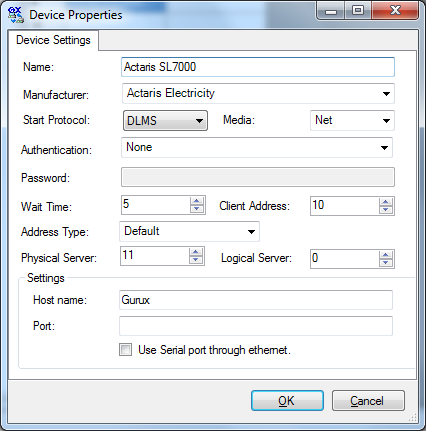
Itron (Actaris) SL7000 using Low authentication

The default Low Authentication level password is: ABCDEFGH
Kamstrup default settings
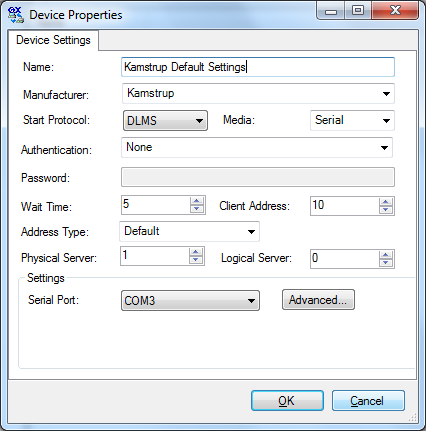
The default Low Authentication level password is: 12345
The client address when using an optical connection is: 0x13 and the server address is 0x10
Client address when using RS-485 is: 0x12 and server address is 0x10
Max payload size in transmit and receive must be 1010 If association reading fails from Omnipower, change the Max PDU size to 1007 from the "Advanced" tab.
Landis+Gyr default settings

The default Low Authentication level password is: 00000000
Landis+Gyr serial settings

Landis+Gyr ZCX 110 R
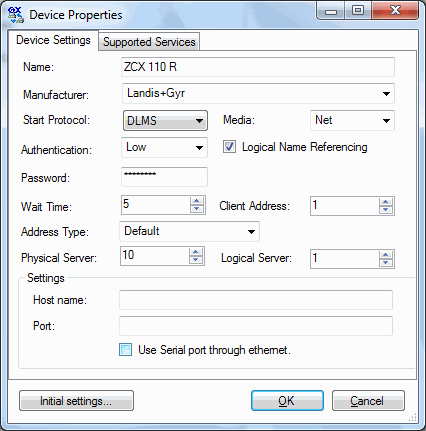
Note! You must change "Server Address size" to 4 in the Frame tab.
Landis+Gyr E250
Note! You must check the "Use Logical Name referencing" checkbox.
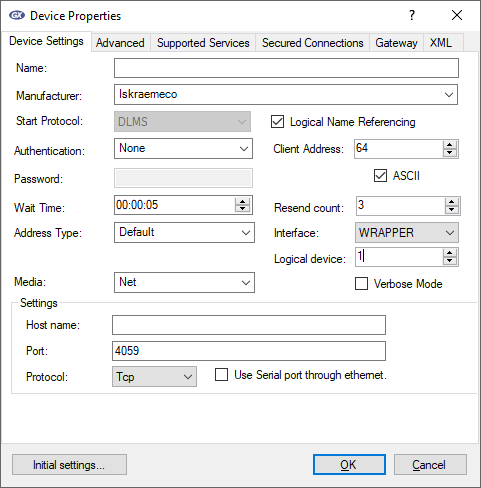
Iskraemeco serial settings
MT383's Low client address is 1, not 64. If it's 64, the association view can be read, but reading objects will fail. The default Low Authentication level password is: 12345678 AM550 default baud rate is 115200. 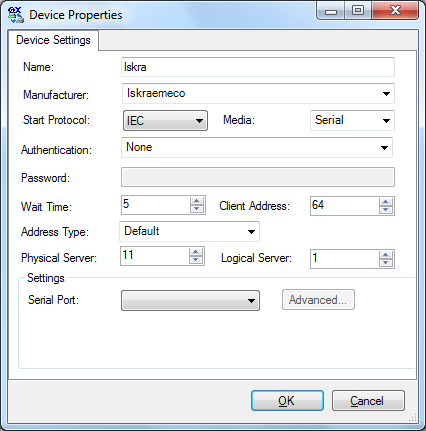
Iskraemeco network settings
EMH metering GmbH settings

SamGas settings

Note! SamGas RSE/2,4 will close the optical port after a while to save the battery. You must activate the ZVEI port again or check the status. Checking the status will also open the port.
Hexing settings
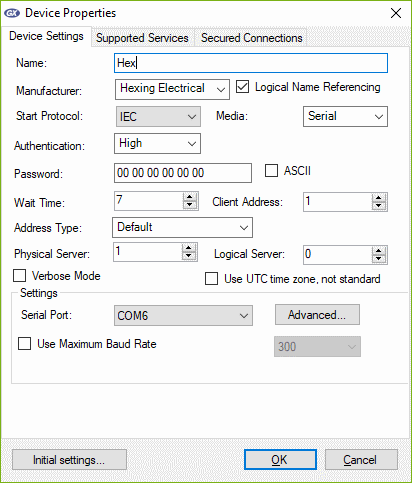
Note! Hexing is not supporting Association View. All objects are added manually.
Cewe Prometer
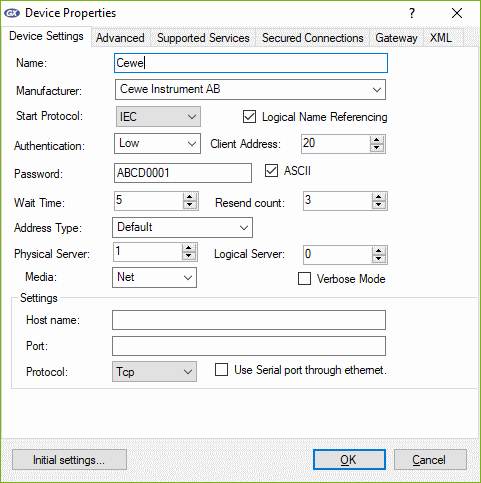
Low security: Client address: 0x18, Password: ABCD0002 Low security: Client address: 0x20, Password: ABCD0001 High security: Client address: 0x30, Password: 0x333333333333333333333333EAADD66F
High security: Client address: 0x40, Password: 0x343434343434343434343434EAADD66F
High security: Client address: 0x50, Password: 0x353535353535353535353535EAADD66F
Genus Power Infrastructures Ltd.
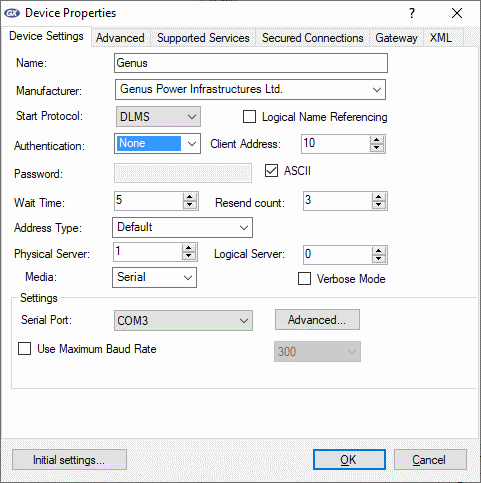
Low security: Password: 1A2B3C4D
Larsen & Toubro Ltd
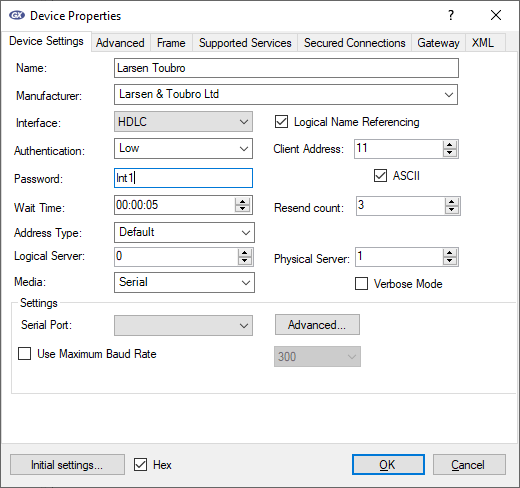
Low security: Client address: 0x11, Password: lnt1
MetCom

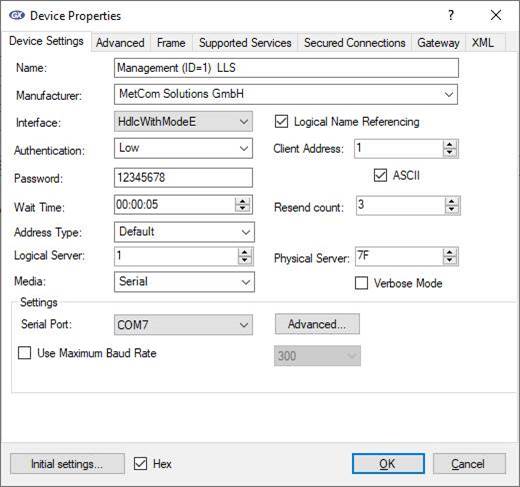
Default Low security: Password: 12345678